Strefa Gospodarza — the host's booking panel built into the property's website
A whole-season calendar, a price for every night, a guest database and review editing — in one place, at your website's own address. Built for Morska Przystań Pilëce, ready to roll out for anyone who rents cottages, apartments or rooms.
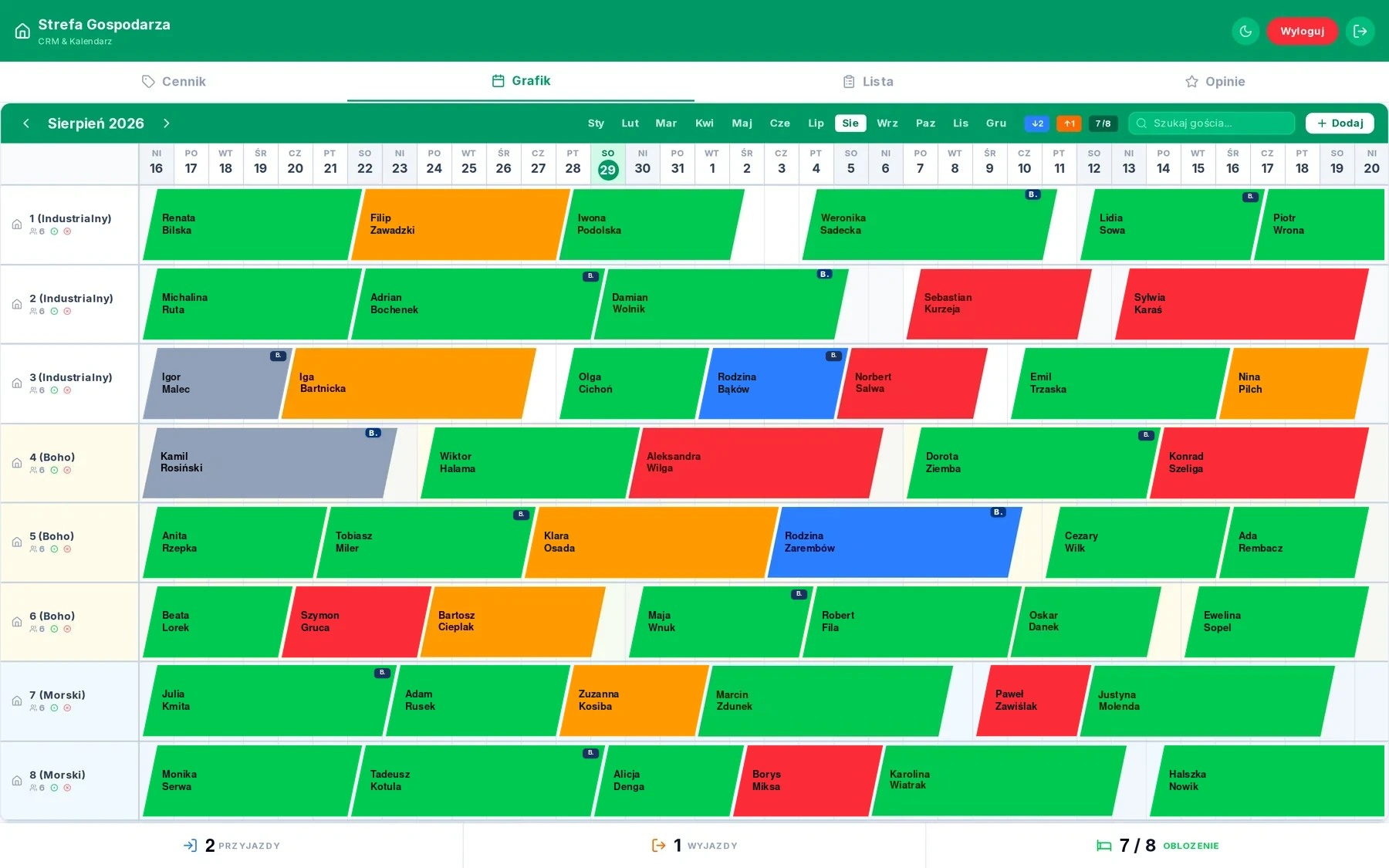
Screenshots from the live panel. Guest data replaced with sample data.
Bookings in a notebook and in Excel, prices in someone's head, reviews scattered across three portals. Off-the-shelf property systems charge a per-room subscription and put someone else's branding between the host and the guest.
A panel built into the property's website, at its own address. Calendar, pricing, booking database and reviews in one place, available on a phone while checking a guest in.
The host sees occupancy and payment status without logging into three systems. Changing a price or a review needs no contact with a developer. No per-room subscription.
What's inside
The whole season on one screen
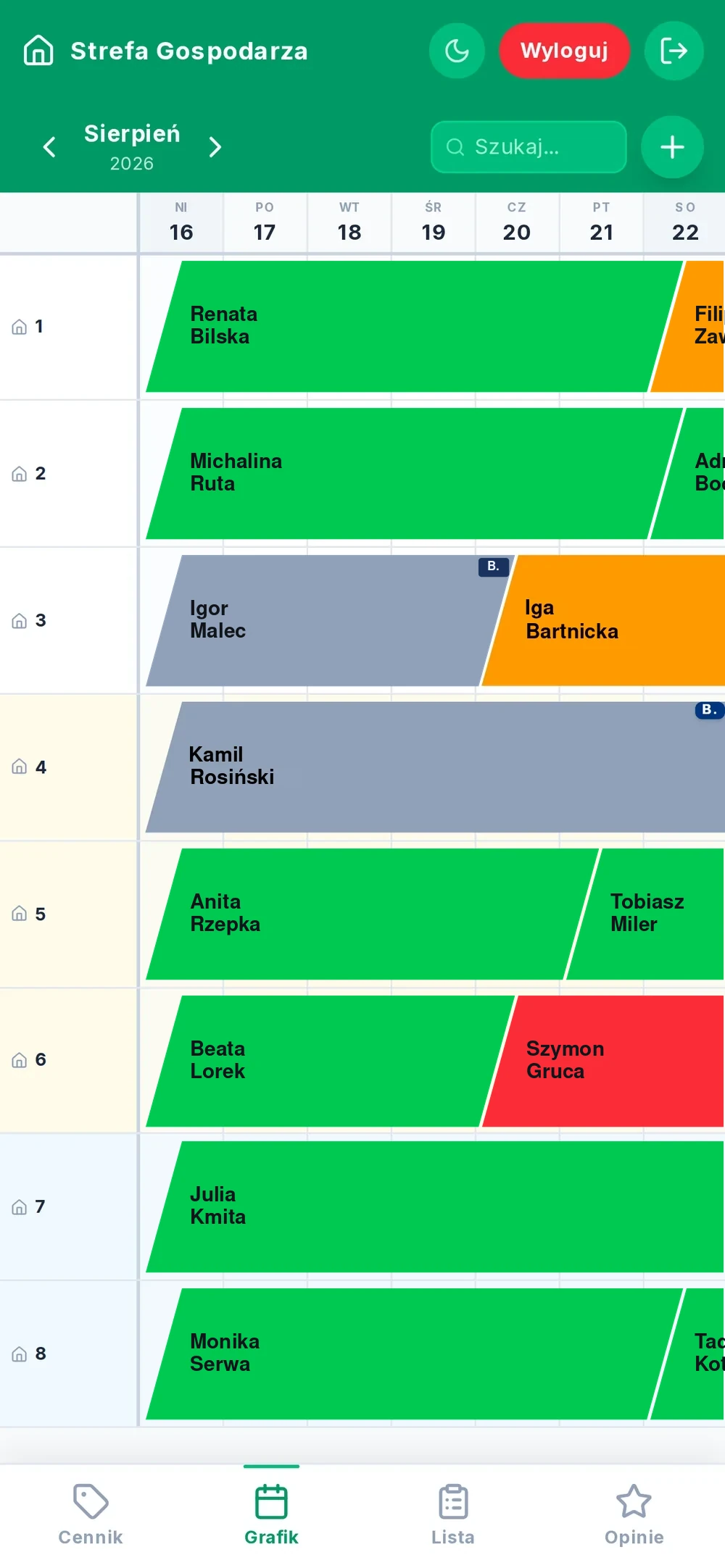
A row for every cottage, a column for every night. Drag a booking to move it to another date or another cottage. If the dates are taken, the panel won't allow a clash and tells you which cottage is blocking.
- Drag bookings between dates and cottages
- Clash protection — two bookings can't land on the same cottage
- Bar colour = payment status, visible without opening the booking
- Slanted edges: the guest changeover day is clear at a glance
- A Booking.com stripe on bookings that came from the portal
- Counter of today's arrivals, departures and occupancy
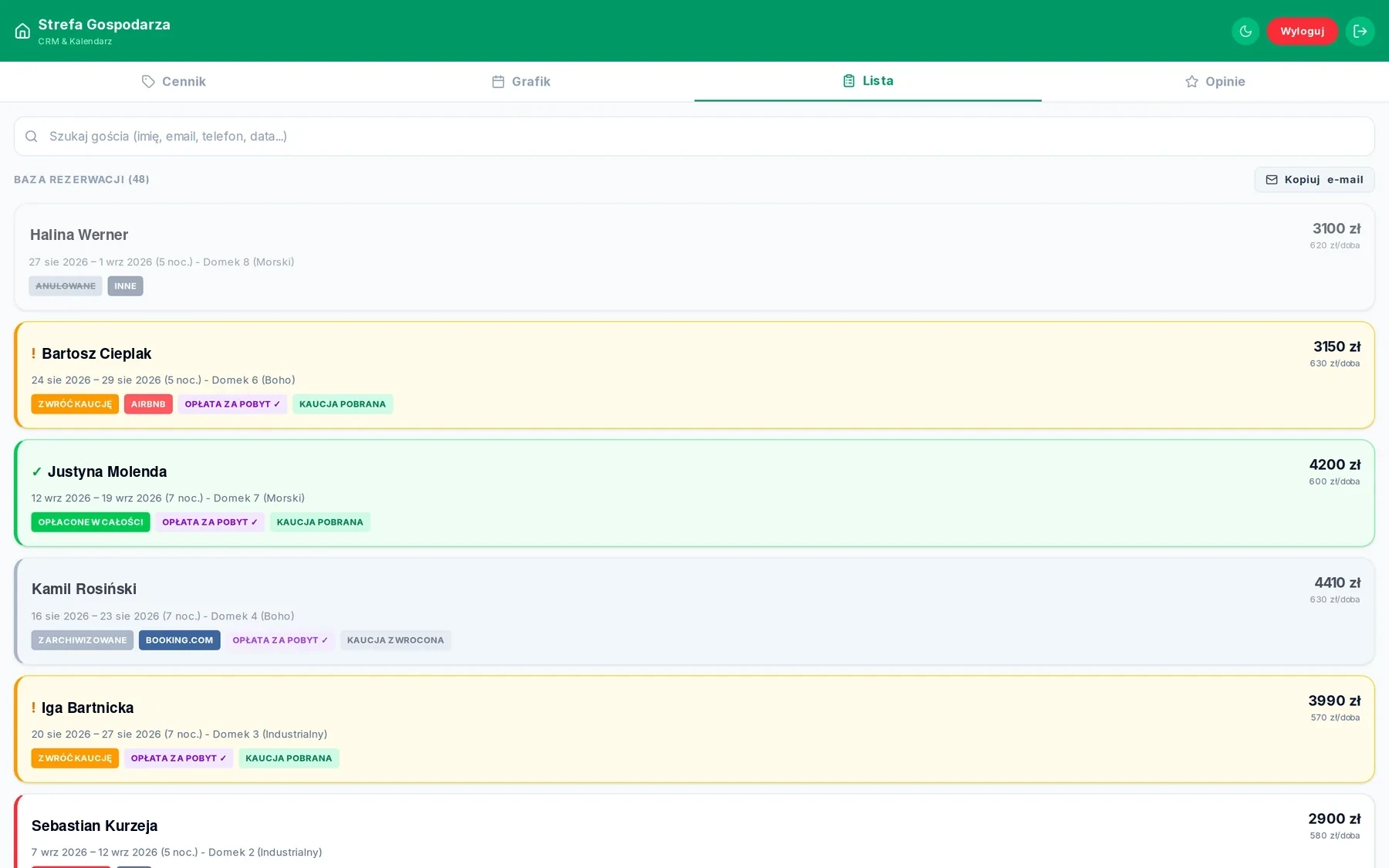
A guest database, not a mailbox
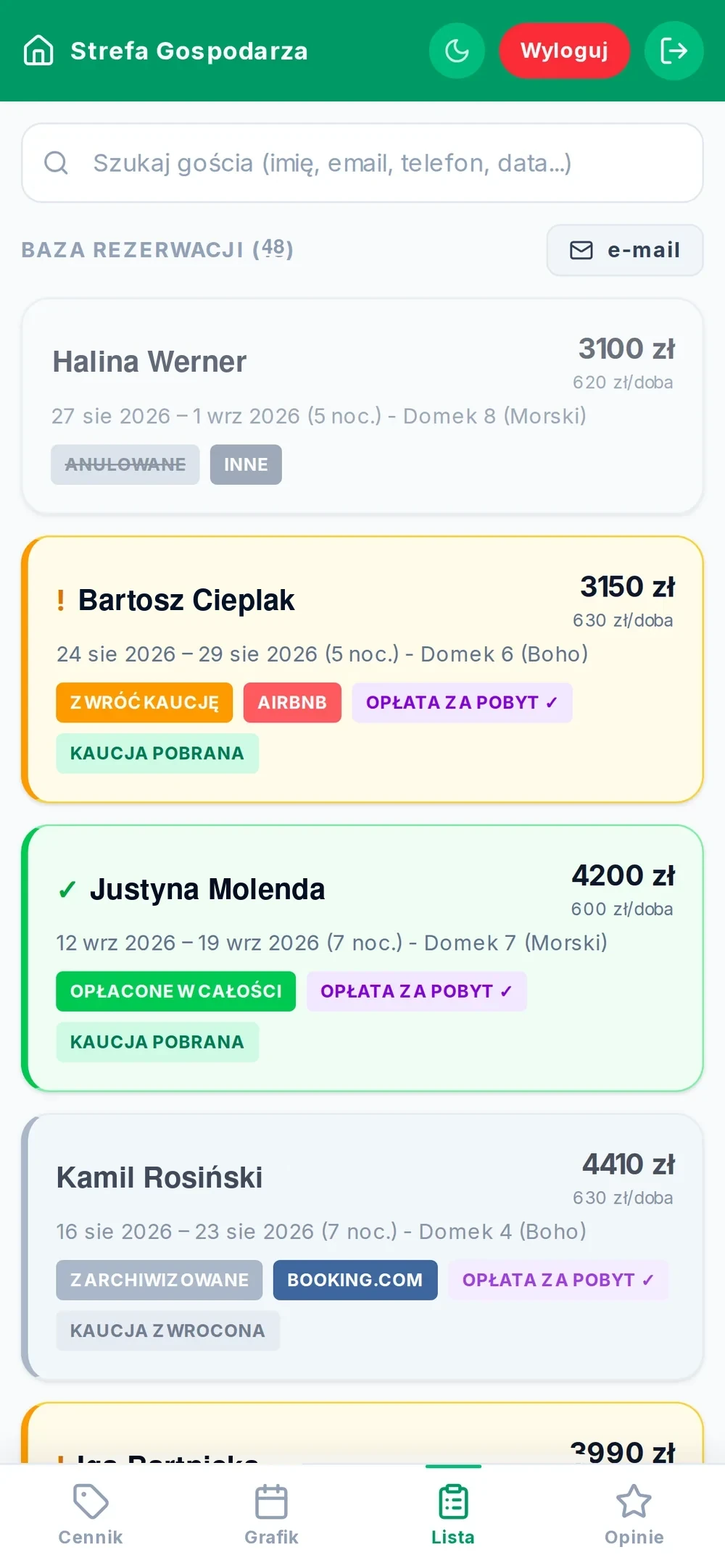
Every booking is a card with the surname, dates, amount and price per night. The border colour shows what is done and what is waiting. Search finds a guest by surname, email, phone or date.
- Search by surname, email, phone and stay dates
- Payment status on the card: stay fee, deposit taken, deposit returned
- A separate “return deposit” mark after the guest leaves
- Booking source: Booking.com, Airbnb, direct, other
- Price per night calculated automatically from the amount and number of nights
- Copy all unique email addresses in one click
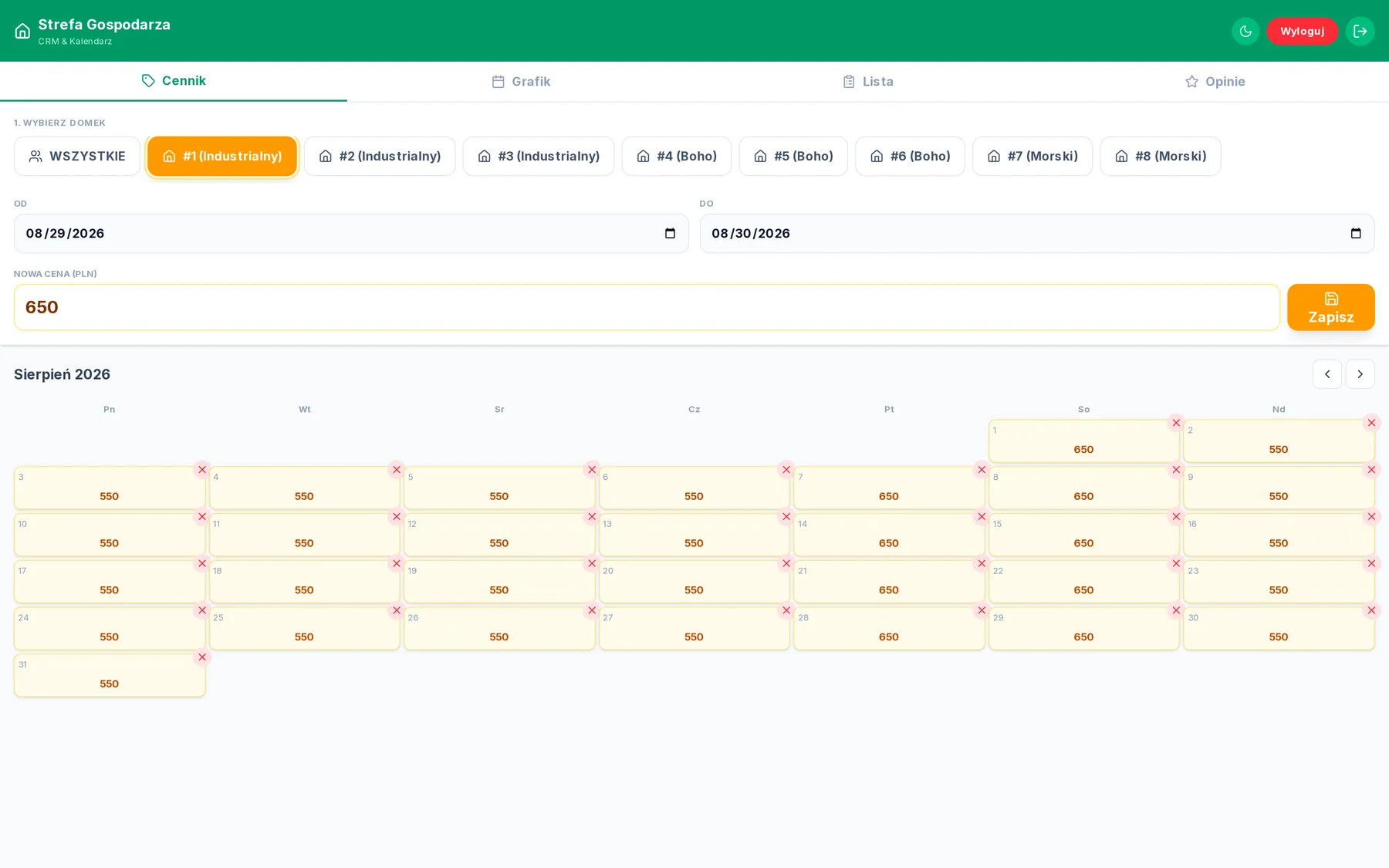
Price per night, cottage by cottage
You select a cottage, a date range and an amount — the panel saves the price for every night in that range. You can also set one price for all cottages at once, for example for a long weekend.
- Price set for a date range, not for a single day
- “ALL” mode — one change for the whole property
- Month preview with the price entered on each day
- Weekends highlighted so you don't mix up the rate
- Remove the price from a specific day in one click
- Prices visible on the guest side right after saving
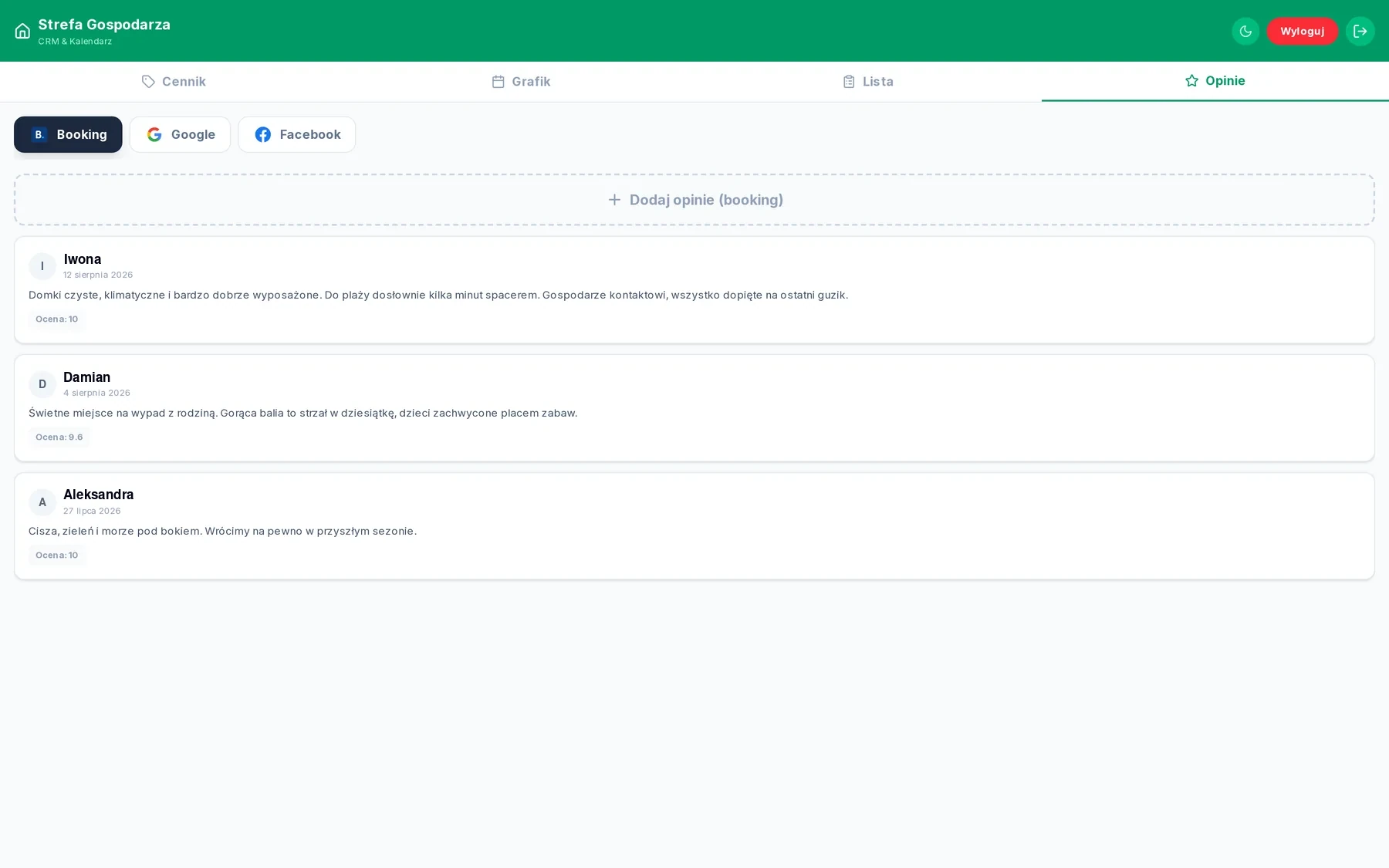
Booking, Google and Facebook reviews on your site
Reviews pile up on three platforms, and the property's website shows none of them. Here you enter them once and they appear on the site — split by source, with the rating.
- Three tabs: Booking.com, Google, Facebook
- Add, edit and delete without contacting a developer
- Rating on the platform's scale — 10 for Booking, stars for Google
- The change is visible on the site immediately after saving
- The host controls the order of reviews
- Content kept in the database, not in the site's code
Screenshots from the live panel. Guest data replaced with sample data.
Colour tells you what needs doing
The same colour code works in the calendar and in the booking list. The host doesn't need to open a booking to know whether something is missing.
The same panel on a phone
Checking a guest in doesn't happen at a desk. On a phone the calendar scrolls sideways through the whole year, and the tabs sit at the bottom under your thumb. The dark theme is remembered between sessions.
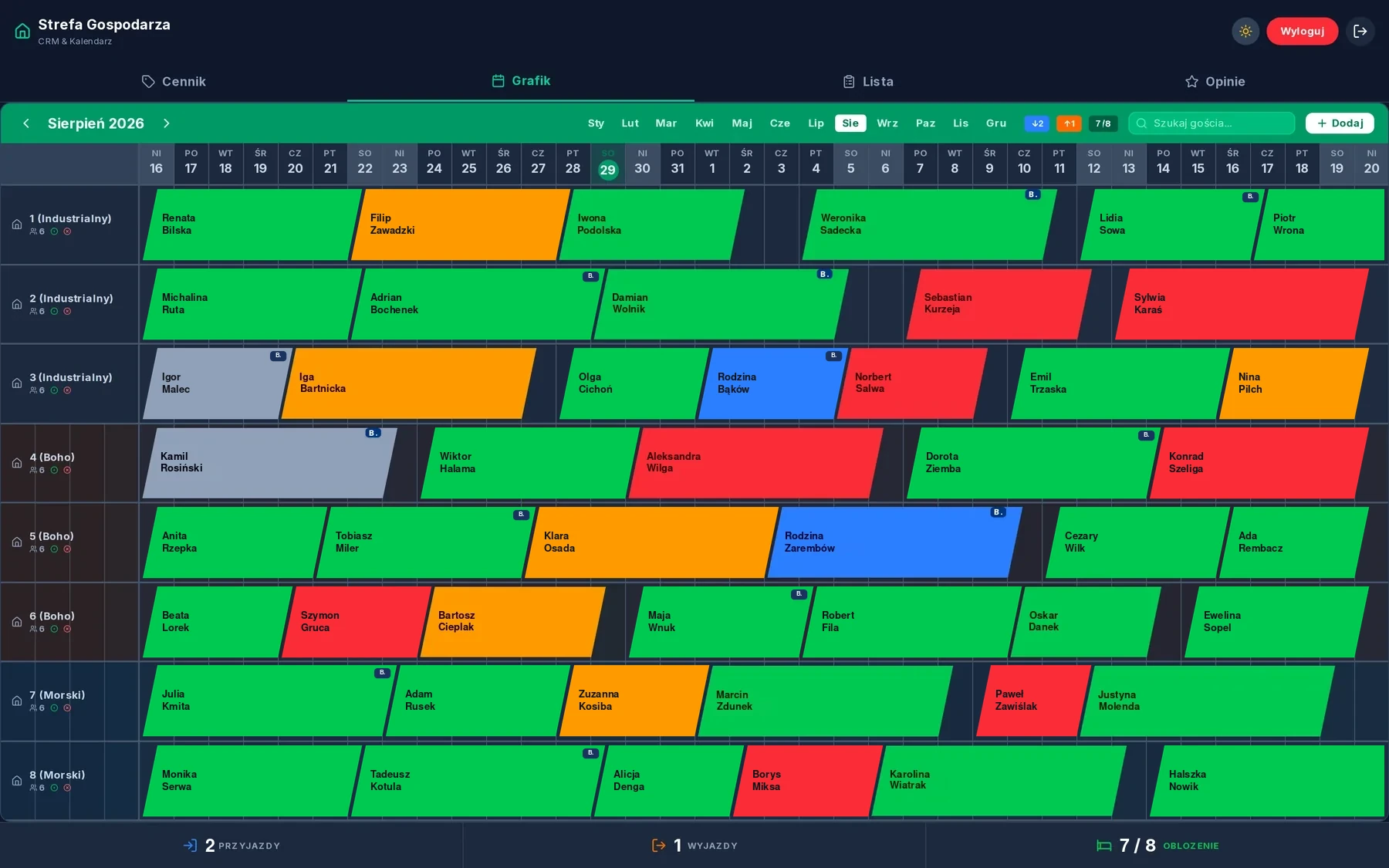
A light/dark switch in the panel header. The choice is saved in the browser, so the next time you open the panel it looks the way you left it.
Screenshots from the live panel. Guest data replaced with sample data.
Entry for the host only
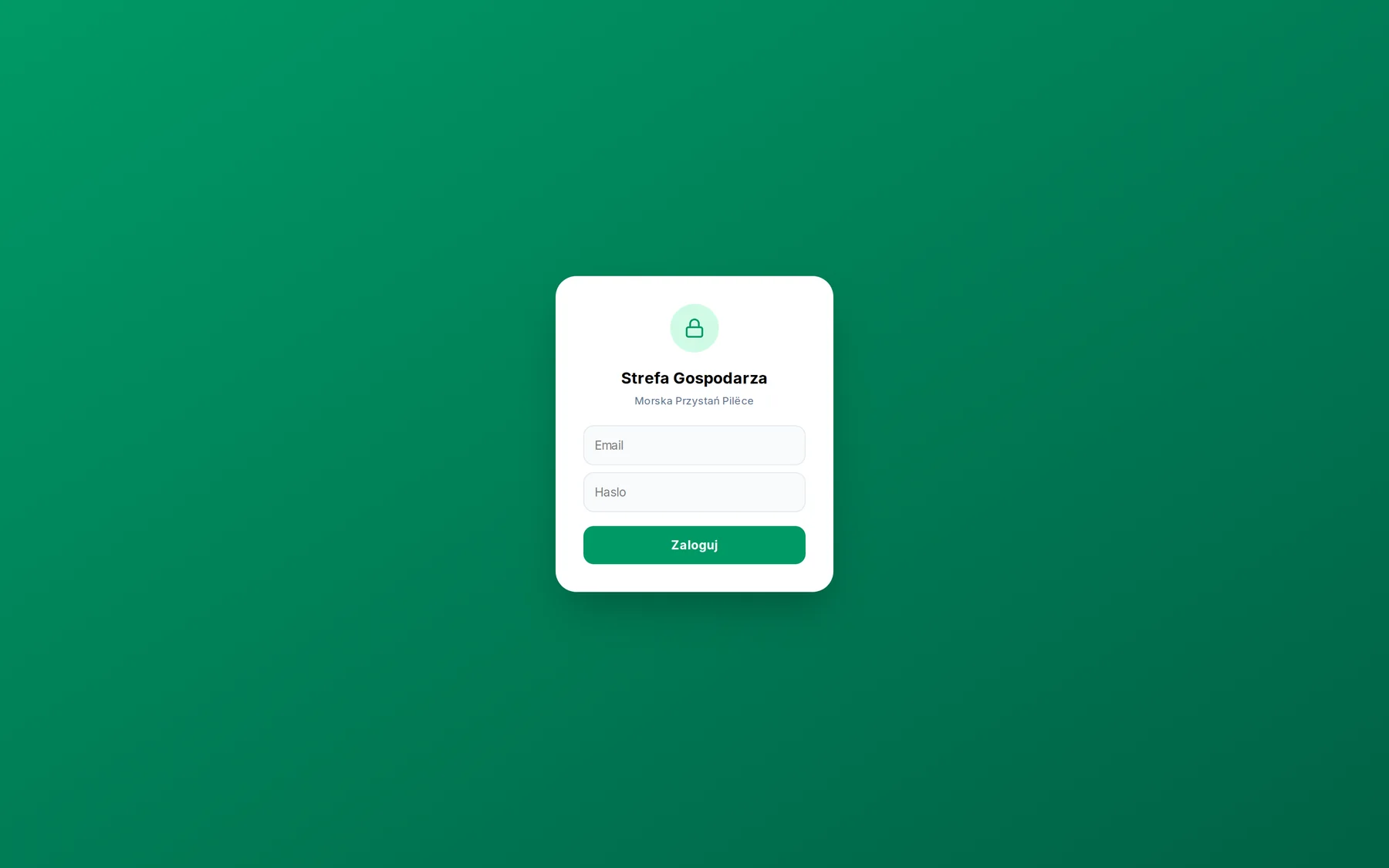
The panel lives at a separate address on the property's website and is not linked in the navigation. Without logging in there is no access to any guest data.
- Sign-in with email and password, owner's account only
- Locked for 60 seconds after five failed attempts
- Guest data unavailable to signed-out users — enforced on the database side
- Sign out in one click from the panel header
- The panel is outside the sitemap and outside search engine indexes
A change saved in the panel appears on the site straight away — no refresh and no deployment. The availability calendar the guest sees reads the same data as the host's calendar.
- A panel fitted to the number and names of your units
- Calendar, pricing, booking database and review editing
- An administrator account and handover of access
- Prices and availability connected to the guest-facing site
- Short training and a user manual
Renting out and running it all in Excel?
We fit the panel to your property — the number of units, how you handle deposits and where your bookings come from. Tell us how many cottages you have and we will reply with a scope and a quote.